Azure Bastion provides secure RDP and SSH connections to virtual machines without exposing their IP addresses. The new Premium SKU introduces session management features like graphical session recording and private only Bastion. This blog will focus on how private only Bastion ensures private connectivity to your virtual machines.
Historically, Azure Bastion has utilized a public IP address, allowing customers to connect via the Internet through either the Azure portal or their computers’ native client. As security becomes an increasingly critical aspect of cloud deployments, there has been a corresponding rise in demand for private endpoints. With the introduction of private only Bastion, customers can now connect to Bastion using a private endpoint, thereby eliminating the necessity of connectivity through a public IP address. To access their virtual machines (VMs), customers can employ VPNs or ExpressRoute private peering, effectively routing their traffic off the public Internet.
Things to Note:
- Private only Bastion is only available on Premium SKU
- Currently, users can ONLY create net new Bastions as a private only deployment.
- Navigate to the Azure portal
- Deploy a Windows or Linux Virtual Machine.
- Note: With Linux machines, users can now connect via Entra ID credentials for SSH connections using the portal. For native client, users can use Entra ID credentials for either RDP or SSH connections. To learn more, see here.
- When connecting to the virtual machine, navigate to the Connect button in the Overview page, and click on Connect via Bastion.
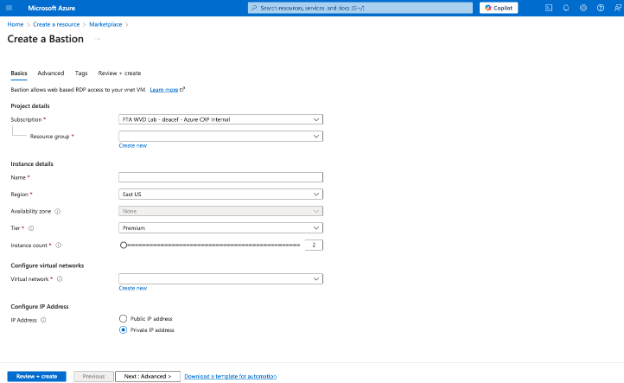
- On the Bastion create page, fill in the necessary information. For help on creating a Bastion, see here.
- For the IP Address option, select Private IP address.
- In the Advanced tab,
- Review and Submit