
Azure OpenAI’s streaming responses use Server-Sent Events (SSE), which support only one subscriber. This creates a challenge when using APIM’s Event Hub Logger as it would consume the stream, preventing the actual client from receiving the response.
This solution introduces a lightweight Azure Function proxy that enables Event Hub logging while preserving the streaming response for clients.
With token usage data being available in both stream & non-stream AOAI API, we can monitor this the right way!
Architecture
Client → APIM → Azure Function Proxy → Azure OpenAI
                        ↓
                   Event Hub
Technical Implementation
Streaming Response Handling
The core implementation uses FastAPI’s StreamingResponse to handle Server-Sent Events (SSE) streams with three key components:
1. Content Aggregation
async def process_openai_stream(response, messages, http_client, start_time):
    content_buffer = []
    async def generate():
        for chunk in response:
            if chunk.choices[0].delta.content:
                content_buffer.append(chunk.choices[0].delta.content)
            yield f"data: {json.dumps(chunk.model_dump())}\n\n"
This enables real-time streaming to clients while collecting the complete response for logging. The content buffer maintains minimal memory overhead by storing only text content.
2. Token Usage Collection
if hasattr(chunk, 'usage') and chunk.usage:
    log_data = {
        "type": "stream_completion",
        "content": "".join(content_buffer),
        "usage": chunk.usage.model_dump(),
        "model": model_name,
        "region": headers.get("x-ms-region", "unknown")
    }
    log_to_eventhub(log_data)
Token usage metrics are captured from the final chunk, providing accurate consumption data for cost analysis and monitoring.
3. Performance Tracking
@app.route(route="openai/deployments/{deployment_name}/chat/completions")
async def aoaifn(req: Request):
    start_time = time.time()
    response = await process_request()
    latency_ms = int((time.time() - start_time) * 1000)
    log_data["latency_ms"] = latency_ms
End-to-end latency measurement includes request processing, OpenAI API call, and response handling, enabling performance monitoring and optimization.
Demo
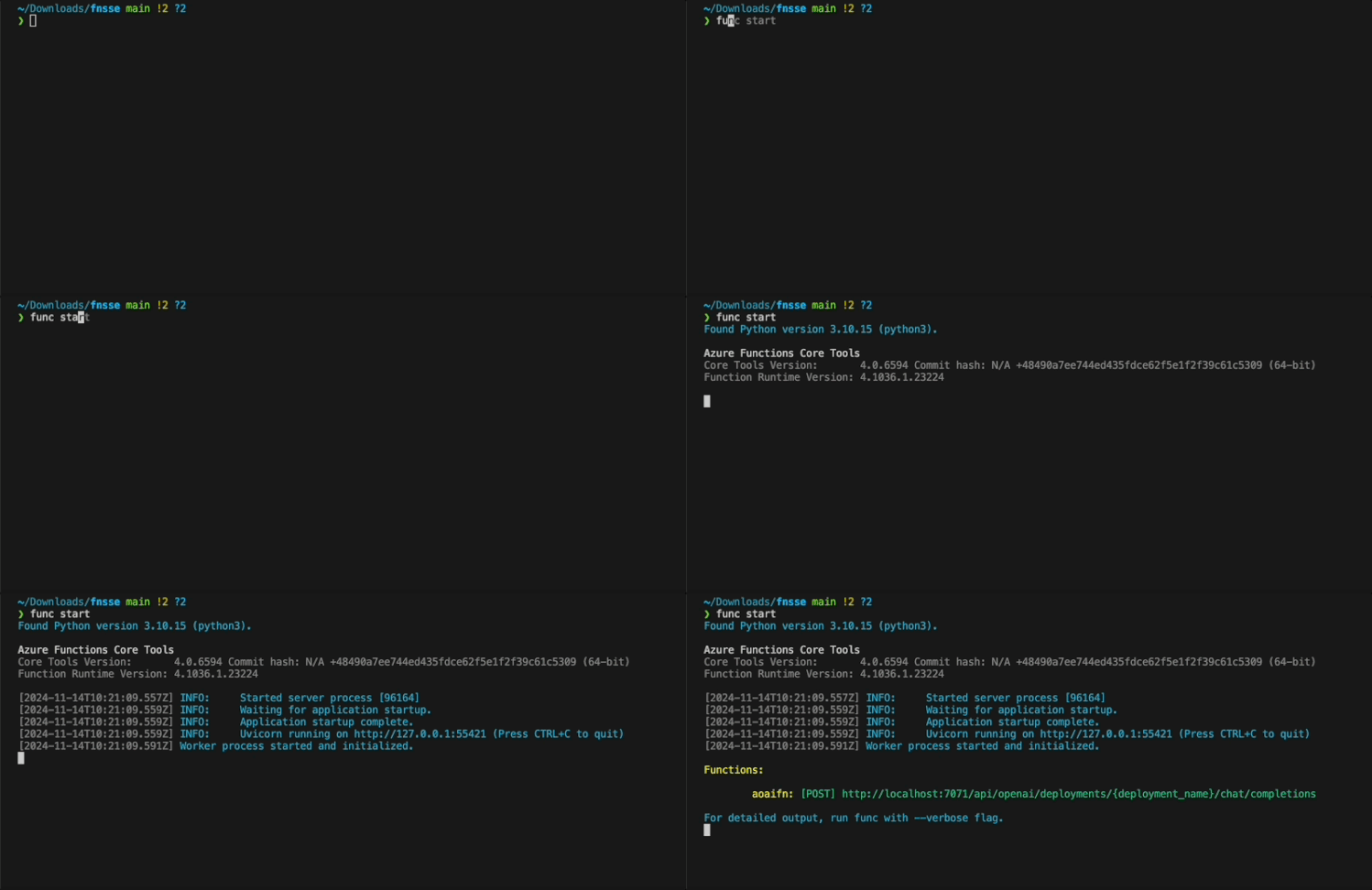
Function Start
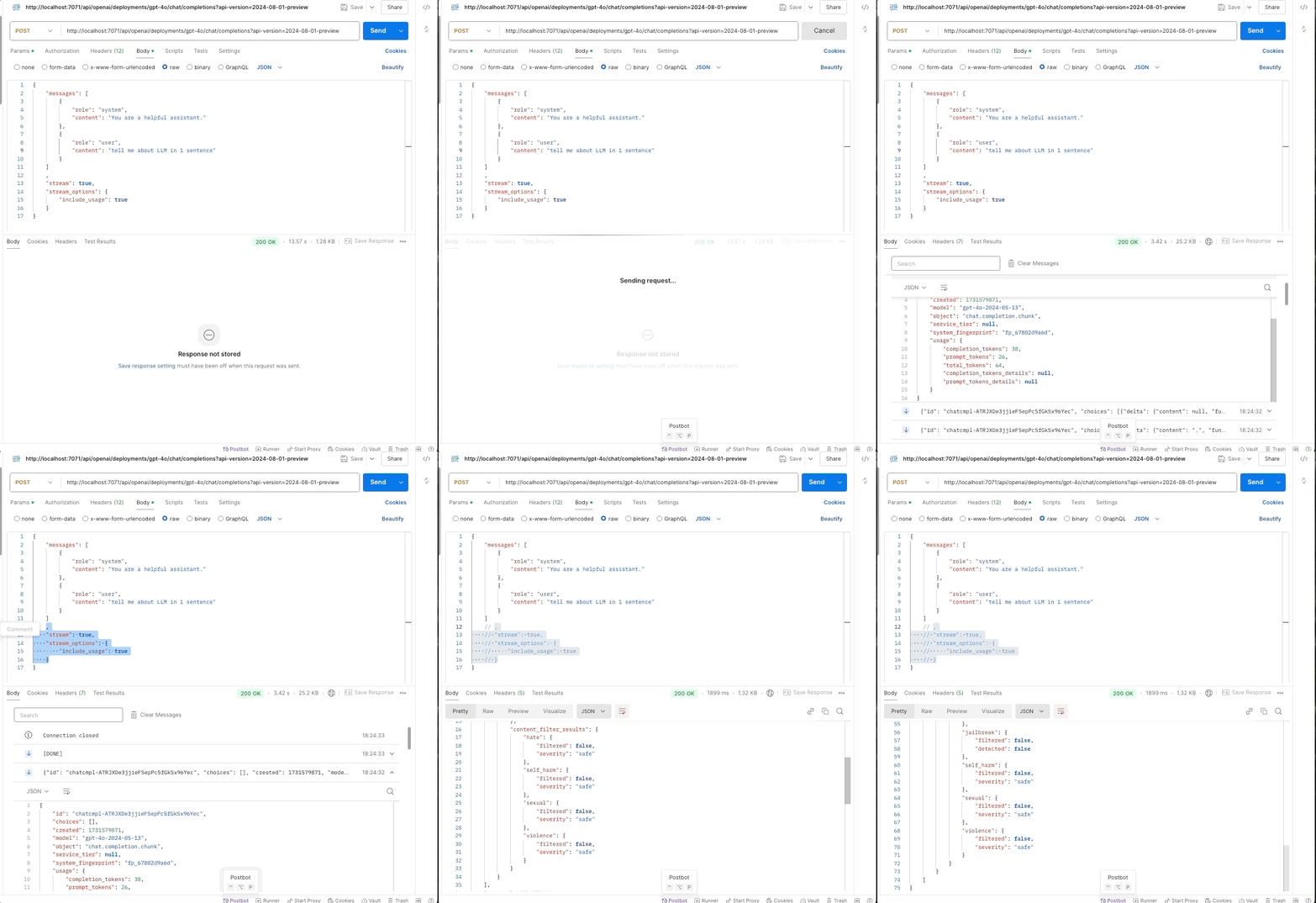
API Call
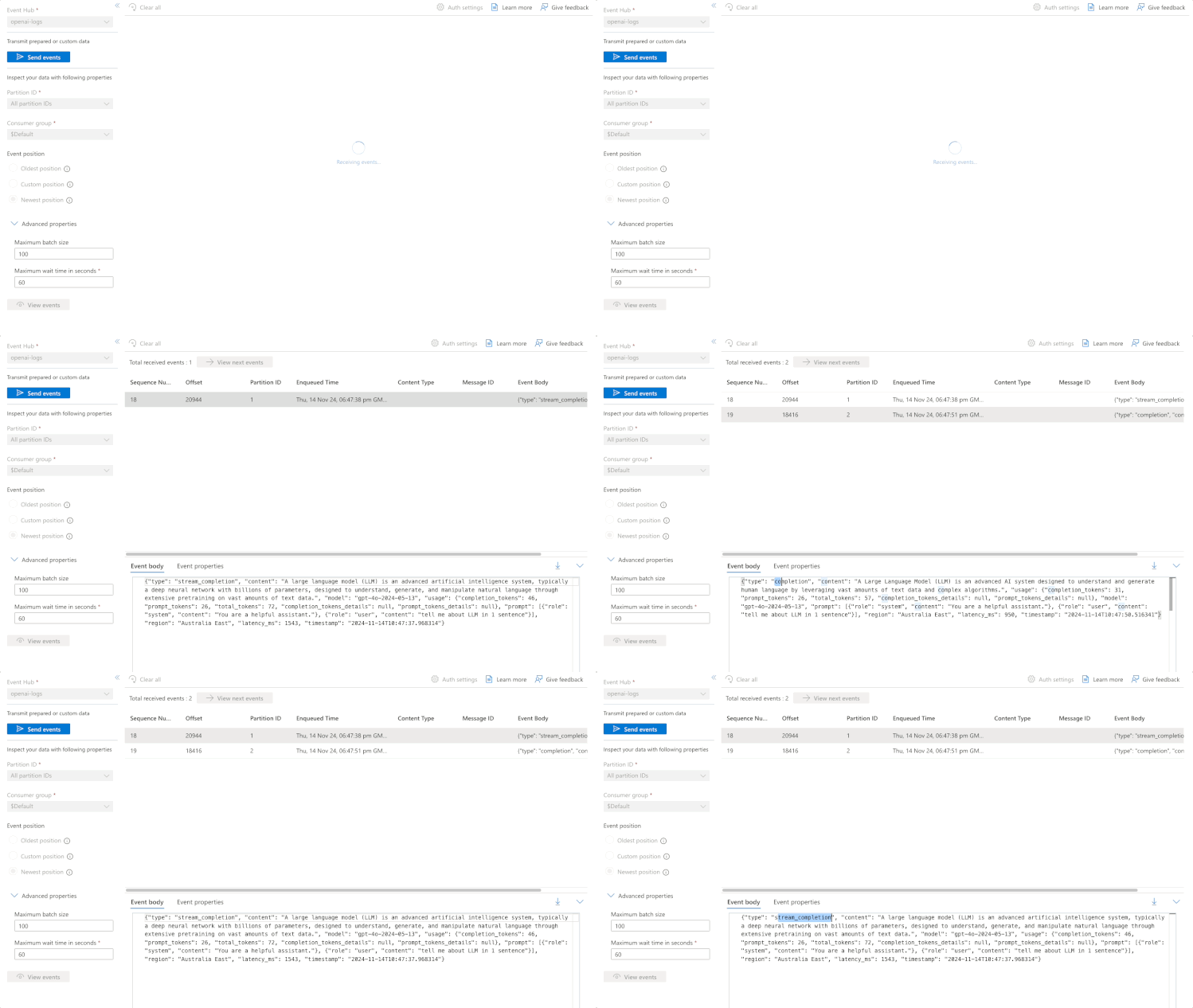
Event Hub
Setup
- Deploy the Azure Function
- Configure environment variables:
AZURE_OPENAI_KEY= AZURE_OPENAI_API_VERSION=2024-08-01-preview AZURE_OPENAI_BASE_URL=https://.openai.azure.com/ AZURE_EVENTHUB_CONN_STR= - Update APIM routing to point to the Function App
Extension scenarios:
- APIM Managed Identity Auth token passthrough
- PII Filtering: Integration with Azure Presidio for real-time PII detection and masking in logs
- Cost Analysis: Token usage mapping to Azure billing metrics
- Latency based routing: AOAI Endpoint ranking could be built based on Latency metrics
- Monitoring Dashboard: Real-time visualisation of:
- Token usage per model/deployment
- Response latencies
- Error rates
- Regional distribution
Implementation available on GitHub.
Related Posts
- Zonal Resiliency in Azure: Application-Centric Goals, Recovery Plans, and Drills
- Zero-Trust Agents: Adding Identity and Access to Multi-Agent Workflows
- Your cluster, your rules: Helm support for container security with Microsoft Defender for Cloud
- Your 6-Step Guide to Deploying a Website with GitHub Codespaces and Copilot agent mode
- You want to PXE Boot? Don’t use DHCP Options.