
Microsoft’s Azure Sentinel, our Security Incident and Event Management (SIEM) solution, enables you to connect activity data from different sources into a shared workspace. That data ingestion is just the first step in the process though. The power comes from what you can now do with that data, including investigating incident alerts, building your own dashboards with workbooks, responding to threats with security playbooks and hunting for security threats.
Let’s take a look at some of the built-in rule templates that you can activate, to query and alert on that data.
Built-in rule templates
Your active rules and the list of available rule templates can be found in Azure Sentinel under Configuration\Analytics:
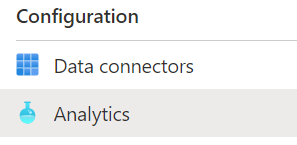 Azure Sentinel Analytics menu
The rule templates are published by Microsoft and are updated and added to as new events and threats are detected, classified as low, medium or high severity. There are currently just under 200 rule templates covering 38 different data sources, both from Microsoft and third parties.
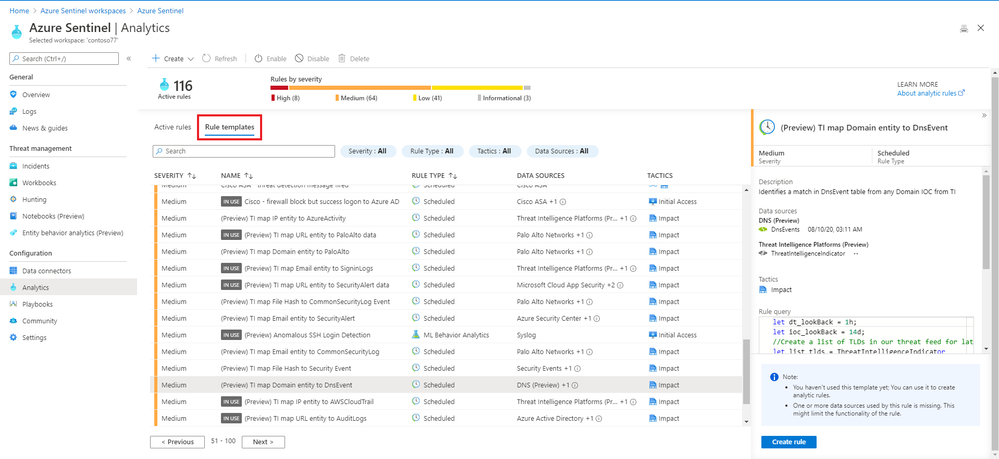 Some of the rule templates in Azure Sentinel
Examples
There are rule templates to create incidents in Azure Sentinel based on alerts from Azure Security Center, Office 365 Advanced Threat Protection (Preview) and Microsoft Defender Advanced Threat Protection. This helps you build one place to manage and investigate threats across different Microsoft products.
There are individual rules for Microsoft and non-Microsoft products:
| High | First access credential added to Application or Service Principal where no credential was present | Azure Active Directory |
| Medium | Rare application consent | Azure Active Directory |
| Medium | Full Admin policy created and then attached to Roles, Users or Groups | Amazon Web Services |
| Low | Changes to AWS Security Group ingress and egress settings | Amazon Web Services |
| Medium | Known Malware Detected | VMWare Carbon Black Endpoint Standard (preview) |
| Medium | Port scan detected | Sophos XG Firewall (preview) |
| Medium | New internet-exposed SSH endpoints | Syslog |
| Low | Request for single resource on domain | Zscaler |
There are also rules that combine more than one product, linking events that could indicate a possible incident:
| High | Anomalous login followed by Teams action | Office 365 + Azure Active Directory |
| High | Multiple password reset by user | Azure Active Directory + Security Events + Syslog + Office 365 |
And there are rules that detect a known threat from different data sources:
| High | Known IRIDIUM IP | Office 365, DNS (preview), Cisco ASA, Palo Alto Networks, Security Events, Azure Active Directory, Azure Activity, Amazon Web Services |
| High | THALLIUM domains included in DCU takedown | DNS (preview), Cisco ASA, Palo Alto Networks |
Anatomy of a rule template
As well as a severity and a list of the data source/s for this rule, a description tells you why this rule is important and may give you links to other relevant information.
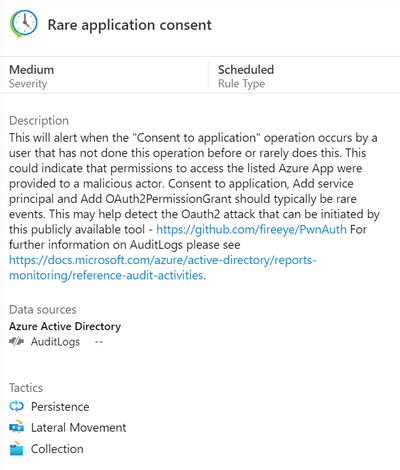 Azure Sentinel rule template description
The rule type can be:
Microsoft Security – these rules automatically create Azure Sentinel incidents from alerts generated in other Microsoft security products, in real time.
Scheduled – these run periodically based on the settings you configure and allow you to alter the query logic.
ML Behaviour Analytics – these are based on proprietary Microsoft machine learning algorithms, so you can’t see of change the query logic.
Fusion – this detects multistage attacks by identifying combinations of anomalous behaviors and suspicious activities observed at various stages of the kill chain. By design, these incidents are low-volume, high-fidelity, and high-severity, which is why this detection is turned ON by default. For more information on Fusion incident types, visit Advanced multistage attack detection in Azure Sentinel.
The tactics icons show what kind of threat this rule is related to:
Credential access, command and control, initial access, impact, defence evasion, collection, persistence, lateral movement, privilege escalation.
You can also see the details of the rule query, written in Kusto Query Language (KQL).
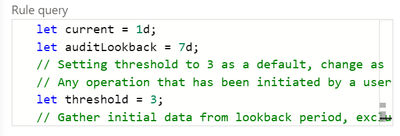
Scheduled rules have a frequency, a rule period and a rule threshold, and may allow event grouping, suppression, the creation of incidents from this alert and alert grouping.
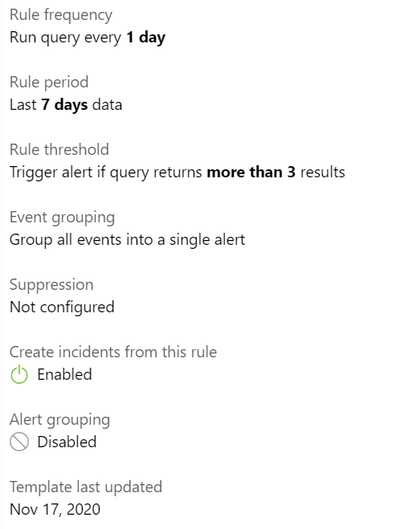 Rule template settings for a scheduled rule
Creating a rule from a rule template
To turn a rule template into an active rule for your environment, you just select the Create rule button. With the wizard, you can then customize any rule settings or the rule logic itself (if appropriate) and you will be warned if you don’t have the required data sources connected.
Choosing your rules
Azure Sentinel gives you a very powerful security capability, but it’s up to you to decide how to apply it to your organization. The built-in rule templates are a great start, or you may also choose to build your own queries. Take a look at the data sources across your environment and what security incident and event monitoring tools and processes you already have in place. What in particular do you need to monitor – network attacks? logins of administrative accounts? events from different systems that may be related?
In addition, the Azure security baseline for Azure Sentinel takes guidance from the Azure Security Benchmark‘s security controls.
Learn more:
- MS Learn – Cloud-native security operations with Azure Sentinel
- Docs – Tutorial: Detect threats out of the box
- Docs – Tutorial: Create custom analytics rules to detect threats
- Docs – Extend Azure Sentinel across workspaces and tenants
Updated Jan 04, 2021
Version 2.0